
PalPedia: Pals, maps and tools
E MiquilenaBooks & Reference
4.8172.00 Reviews
- Version
- 1.2.9
- Installs
- 100.00K
- Age Rating
- Everyone
Screenshots
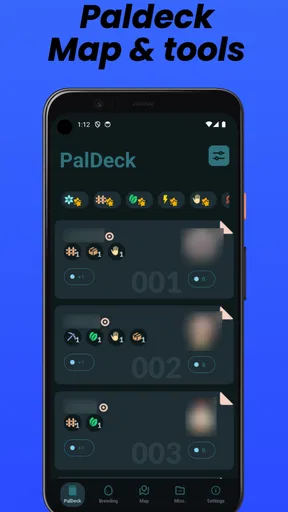
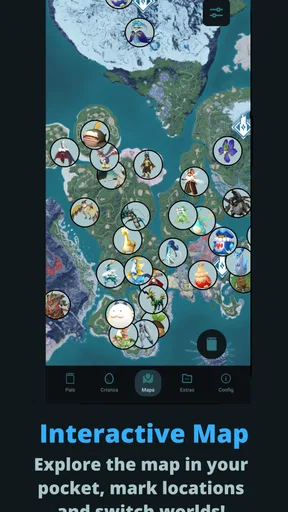
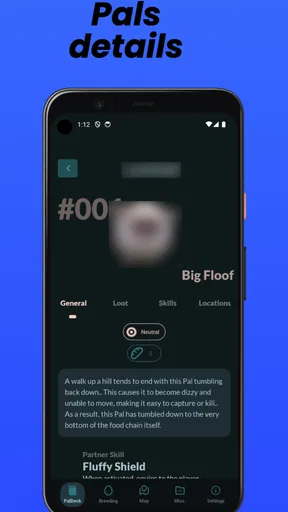
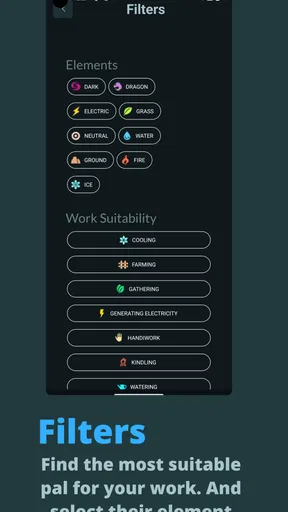
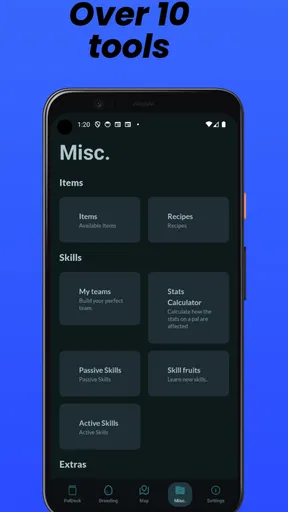
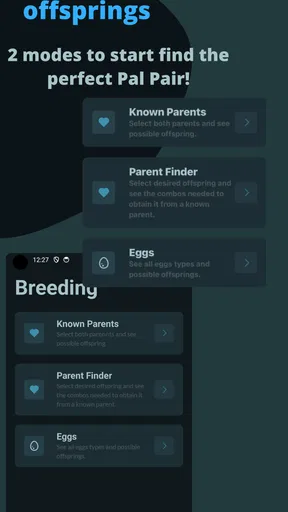
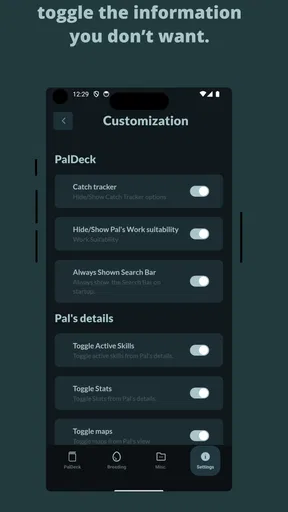
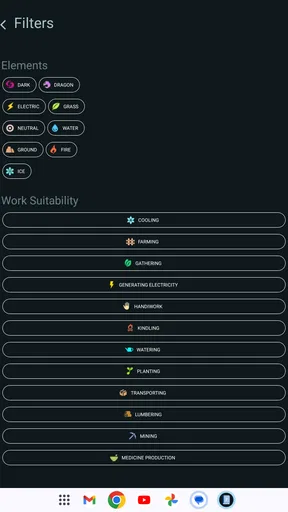
Our Review of PalPedia: Pals, maps and tools
 Analysis by Appyee
PalPedia is the kind of companion app I would keep open beside a Pal adventure rather than treat as a standalone game. It belongs to the Books & Reference category, but that label undersells its practical role: it combines an interactive map with reference tools for players who want to plan, search, and check details without constantly leaving the game. I found the idea most useful when I had a specific question in mind, such as where to look next or how to organize an exploration route.
The app is free to install, suitable for Everyone, and developed by E Miquilena. It has built a strong early audience, with an average rating of 4.8 from around 3.3 thousand ratings and more than 100 thousand installs. Those figures suggest that it is already more than a curiosity for a small group of players. Still, popularity is not the same as perfection, so I paid attention to the moments where the tools genuinely saved time and the points where a player may still prefer a browser guide, a community wiki, or simple notes.
How PalPedia fits into a real Pal adventure
The strongest part of the experience is the combination of map browsing and reference material. A normal search engine can answer a narrow question, but it often sends you through several pages, advertisements, comments, or outdated-looking guides before you find the useful line. A paper-style guide or a collection of screenshots has the opposite problem: it may be easy to read, but it does not help much when you are trying to connect a location with the rest of your route.
PalPedia sits between those options. I can use the map when I am thinking spatially and switch to the PalPedia reference side when I am thinking about a particular Pal or item. That change in perspective matters. Instead of treating every discovery as an isolated lookup, I can use the app to prepare a short plan: identify an area, check the relevant entries, and then return to the game with a clearer goal.
In everyday use, I would open it before a play session to decide what I wanted to accomplish, then bring it back up when I reached a point where memory was no longer enough. This is especially helpful for players who dislike interrupting the flow of exploration with repeated web searches. The app does not replace the adventure; it reduces the small bits of friction that can make an adventure feel like an administrative task.
The best reason to use PalPedia is not that it contains information, but that it puts location-based planning and reference checking in the same place. That makes it more useful than a generic notes app and more focused than a broad search engine.
What the current version does well
The current version is 1.2.9, which gives the app the feel of a product that has already moved beyond its first rough experiment. I would not read that version number as a promise of a particular feature set, but it does matter when judging the app today: the version available now is the one to evaluate, not an early build that might have been less settled.
My favorite workflow is to use the interactive map as a planning surface rather than merely as a place to look up a single point. I can begin with a broad area, narrow my attention to a useful destination, and then decide whether the trip is worth making during the current session. That is a small change in habit, but it stops me from wandering without a purpose when I have limited time.
The reference side is also valuable for players who are still learning the world. New players often do not need every detail at once; they need a clear answer to the question in front of them. A focused companion app can make that learning curve less intimidating because it lets the player investigate at their own pace. More experienced players can use the same tools differently, checking a detail quickly instead of relying on memory.
There is a useful distinction between discovery and confirmation here. If I want to explore naturally, I can leave the map closed and only consult PalPedia after I have found something interesting. If I am trying to complete a particular task efficiently, I can use it earlier and turn the session into a planned route. The app supports both styles, although players who want a completely spoiler-free experience will need to control how much they search.
Small workflows that make it more useful
One practical habit is to decide on a single objective before opening the map. Rather than scanning everything, I would choose a target such as a region, a resource-related question, or a Pal entry I want to understand better. This keeps the app from becoming another distraction. The map is most effective when it answers a planned question, not when I endlessly zoom and browse without returning to the game.
A second useful approach is to use the app in two passes. Before playing, I would make a rough route using the map. During play, I would only reopen the reference tools when something changes the plan. This prevents constant switching between the game and the companion. It also makes the app feel like a preparation tool instead of a substitute for paying attention to the world itself.
A third approach is helpful for completion-minded players: use the map to separate “must visit” locations from “nice to investigate” locations. Even without turning the session into a rigid checklist, that distinction helps avoid a common mistake in open-world play—spending too much time travelling toward a minor point when a more important objective is nearby. PalPedia is particularly suited to this kind of visual prioritization because the map gives context that a text-only guide cannot.
I also found that the app works best when I treat its information as a prompt for decisions rather than an instruction manual. A map can show where something is useful to investigate, but I still have to judge whether the trip fits my current equipment, progress, and mood. That keeps the companion from removing all uncertainty, which is important for players who want planning help without turning every session into a solved route.
Who will get the most from it
New players are an obvious audience. The app gives them a place to orient themselves when the game presents too many possibilities at once. Instead of opening a general web search and trying to decide which result is trustworthy or relevant, they can start with a focused reference tool. I would recommend it to someone who enjoys exploration but becomes frustrated when they cannot remember where to investigate next.
It is equally useful for returning players. After a break, I often remember the broad objective but forget the small details that connect one area to another. A quick map check can restore that sense of direction without requiring a complete replay of earlier sessions. For this audience, the app is less about learning the entire game and more about reducing the cost of getting back into it.
Completion-focused players may appreciate it most. If your enjoyment comes from connecting locations, gathering information, and making a deliberate plan, the combination of map and reference tools fits naturally into that style. It can also help players who have limited evening time and want to spend their available session playing rather than searching through unrelated pages.
On the other hand, I would not recommend making it central to every play style. Players who strongly prefer blind discovery may find any detailed map too revealing. Someone who already has a trusted community guide and does not mind using a browser may also see little reason to add another app. PalPedia is most convincing when convenience, visual context, and a dedicated Pal reference are more important to you than keeping every answer outside the game.
How it compares with familiar alternatives
The usual alternative is a web search. That option is flexible and can cover many questions, but it often breaks concentration. You search for one detail, open several results, work around irrelevant material, and then try to remember where you started. PalPedia has a narrower purpose, which is a limitation when you need a broad discussion, but that narrowness is also its advantage during a play session.
A community wiki may offer more explanation or a wider range of opinions. It can be better when you want a long guide, a detailed strategy discussion, or help with an unusual problem. The trade-off is that a wiki can feel slower to navigate, especially on a phone. PalPedia is better suited to quick visual orientation and compact reference checks, while a wiki remains preferable when you want deep written context.
Another alternative is keeping personal notes. Notes are excellent for recording your own priorities, discoveries, and reminders, and they do not depend on someone else’s organization. However, they require work before they become useful. PalPedia gives you a ready-made map and reference environment, so I would use it for the shared structure of the world and personal notes for decisions that are specific to my own playthrough.
There is also the option of playing without any companion at all. That remains the right choice for players who value surprise above efficiency. I would not argue that every player needs a map app. The value here is practical: it helps you choose where to spend time, while the game still supplies the actual movement, encounters, and decisions.
Where the experience still has friction
The first limitation is inherent to the format. An interactive map can make exploration feel less mysterious if you consult it too early or too often. I would be careful about opening it before I have had a chance to investigate an area naturally. The app is most enjoyable when I decide how much guidance I want, rather than allowing the map to dictate every next step.
A second issue is that a companion app adds another screen to manage. Even a well-organized tool can interrupt the rhythm of play if I need to switch away repeatedly. This is why the two-pass workflow matters: plan briefly, play for a while, and consult only when the question is worth the interruption. Players who want everything visible in a single game interface may find a separate app less convenient than an integrated system.
The app also has a focused scope. Its strength comes from being built around Pal adventures, but that means it is not a replacement for a general reference service. If your question falls outside what the app is designed to organize, a browser or community resource may still be faster. I see that as a trade-off rather than a flaw, but it is important to choose the tool that matches the question.
There are optional in-app purchases priced from $4.99 to $8.99 per item. The app itself is free, so a cautious user can begin without paying and decide whether the additional purchase options fit their habits. I would avoid buying anything immediately unless I had already used the free experience enough to understand what I actually need. For occasional map checks, the free entry point may be sufficient; dedicated users should consider whether the paid options provide value for their particular routine.
What the release history means for existing users
Because the app was released on January 27, 2024 and is now at version 1.2.9, existing users are looking at a product that has had time to develop from its initial release. That is encouraging, but I would still judge updates by their effect on daily use rather than by the version number alone. For me, the important questions are whether map browsing remains clear, whether reference checks stay quick, and whether the app continues to feel dependable during an active session.
For someone installing it today, the main benefit is starting with the current build rather than having to live through the earliest stage of the app. For an existing user, the practical advice is simpler: keep an eye on how the current version fits your workflow, especially if you use the app for longer planning sessions. A companion tool earns its place by being easy to return to, not by offering a large collection of buttons.
The developer, E Miquilena, has positioned the app around a specific player need instead of trying to become a general gaming platform. That focus is a positive sign for clarity. It also means future evolution should be judged carefully: additions are valuable when they make map and reference work faster, but less valuable when they add complexity without improving decisions.
What I would watch before making it a permanent companion
If I were deciding whether to keep PalPedia installed long term, I would watch how well it supports different levels of involvement. A new player needs orientation, a returning player needs quick reminders, and a completion-focused player needs efficient planning. The app becomes more compelling if one installation can serve all three without forcing each person through the same rigid workflow.
I would also pay attention to the balance between convenience and discovery. The best future direction would preserve the usefulness of the map while giving players control over how much information they reveal. A tool that helps with a precise question is more flexible than one that exposes every answer at once. That distinction matters because Pal adventures are not all played for the same reason.
Another point to watch is whether the reference tools remain easy to use on a phone during an actual session. Desktop guides can afford dense layouts because there is more screen space. A mobile companion has to make searching, reading, and returning to the map feel natural with limited room. If the app keeps those transitions simple, it will remain more practical than opening several browser tabs.
Finally, I would consider whether the optional purchases stay proportionate to the way I use the app. The free installation makes trying it low-risk, but regular users should still decide whether paid extras improve their personal workflow or merely add information they rarely consult. That is a choice worth making after real use, not from the store page alone.
My recommendation
I enjoyed PalPedia most as a quiet planning partner. It did not replace the fun of entering an area and seeing what happened; it helped me make better use of the time I had once I knew what I wanted to investigate. The interactive map gives spatial context, while the PalPedia reference side makes focused questions easier to handle than a general web search.
I would recommend it to new players who want gentle orientation, returning players who need to rebuild their bearings, and dedicated explorers who like turning a large world into a manageable route. I would skip it if you want to discover everything without outside help, already have a favorite guide that meets your needs, or dislike switching between a game and a companion app.
Overall, this free Books & Reference app earns its place through focus rather than excess. Its current version, 1.2.9, represents a useful point for players who want map-based planning and Pal information in one mobile tool. Use it selectively, keep your own sense of discovery, and it becomes a practical companion instead of a spoiler machine. That balance is why I would suggest giving it a try before deciding whether its optional purchases belong in your regular setup.
Verdict
Strengths of PalPedia: Pals, maps and tools
- Detailed Pal database with useful stats, elements, and abilities.
- Interactive maps make it easier to find resources and important locations.
- Breeding tools help plan combinations and discover possible offspring.
- Helpful for tracking collection progress and missing Pals.
- Clean layout makes browsing guides and tools relatively straightforward.
Limitations of PalPedia: Pals, maps and tools
- Some information may become outdated after game updates.
- The large amount of data can feel overwhelming for new players.
- Certain tools may require several taps to reach the desired result.
- Map details may not always match every game version or platform.
- Ads or locked features could interrupt the experience for some users.
Similar Picks in This Category
View All
Google Play Books & Audiobooks
Google LLC4.7

네이버 - NAVER
NAVER Corp.3.5

Wattpad - Read & Write Stories
Wattpad.com3.7

King James Bible - Verse+Audio
Ozion4.8

Bible Offline-KJV Holy Bible
Bíblia Offline4.9

Amazon Kindle: Reading App
Amazon Mobile LLC4.8
Frequently Asked Questions
What is PalPedia: Pals, Maps and Tools?
PalPedia: Pals, Maps and Tools is a companion app for players who want quick access to information while playing. It typically brings together Pal details, locations, maps, resources, breeding or progression references, and practical tools in one place. Instead of searching through scattered websites or community posts, users can browse organized information from their mobile device and use it as a convenient reference during gameplay.
What features does PalPedia offer?
The app is designed around exploration and collection management. Depending on the available version, you can expect searchable Pal profiles, statistics, abilities, locations, item or resource information, interactive maps, and tools that help with planning. These features are especially useful when you are trying to find a specific creature, locate materials, compare options, or understand what is needed for progression without repeatedly leaving the game.
Does PalPedia work offline?
Offline availability may vary by feature and by the version installed from the app store. Basic information that has already loaded may remain accessible, but interactive maps, updated databases, advertisements, synchronization, or other online tools may require an internet connection. If you plan to use PalPedia while playing away from reliable Wi-Fi, open the sections you need beforehand and check whether the app clearly identifies offline-supported content.
Is PalPedia an official app, and does it connect to my game account?
PalPedia should be treated as an independent companion or reference application unless its store listing explicitly states that it is officially licensed by the game’s publisher. A guide app normally does not need access to your game account, save files, or login credentials. Avoid entering sensitive account information into unofficial tools, and review requested permissions carefully before granting access, particularly if the app asks for anything unrelated to maps, guides, or notifications.
Is PalPedia free to download and safe to use?
The download may be free, although some versions can include advertising, optional purchases, premium tools, or limitations on certain features. Before installing, review the current store listing for pricing, in-app purchases, supported devices, privacy details, and recent user feedback. As with any third-party guide, download it from a trusted official store, keep your device updated, and avoid modified APK files or unofficial download links that could create security risks.
